fuse

AI storyboard generator.
Turn your script
into visible shots.

Turn a script or text prompt into a sequence of storyboard frames. In Fuse, break the story into shots, agree on how to film them, then generate video and compare takes. Start with a full script or a single scene in your head.

Text: stories, scripts, or storyboard prompts.0 / 5,000
Sign in to start generatingPlans and pricing
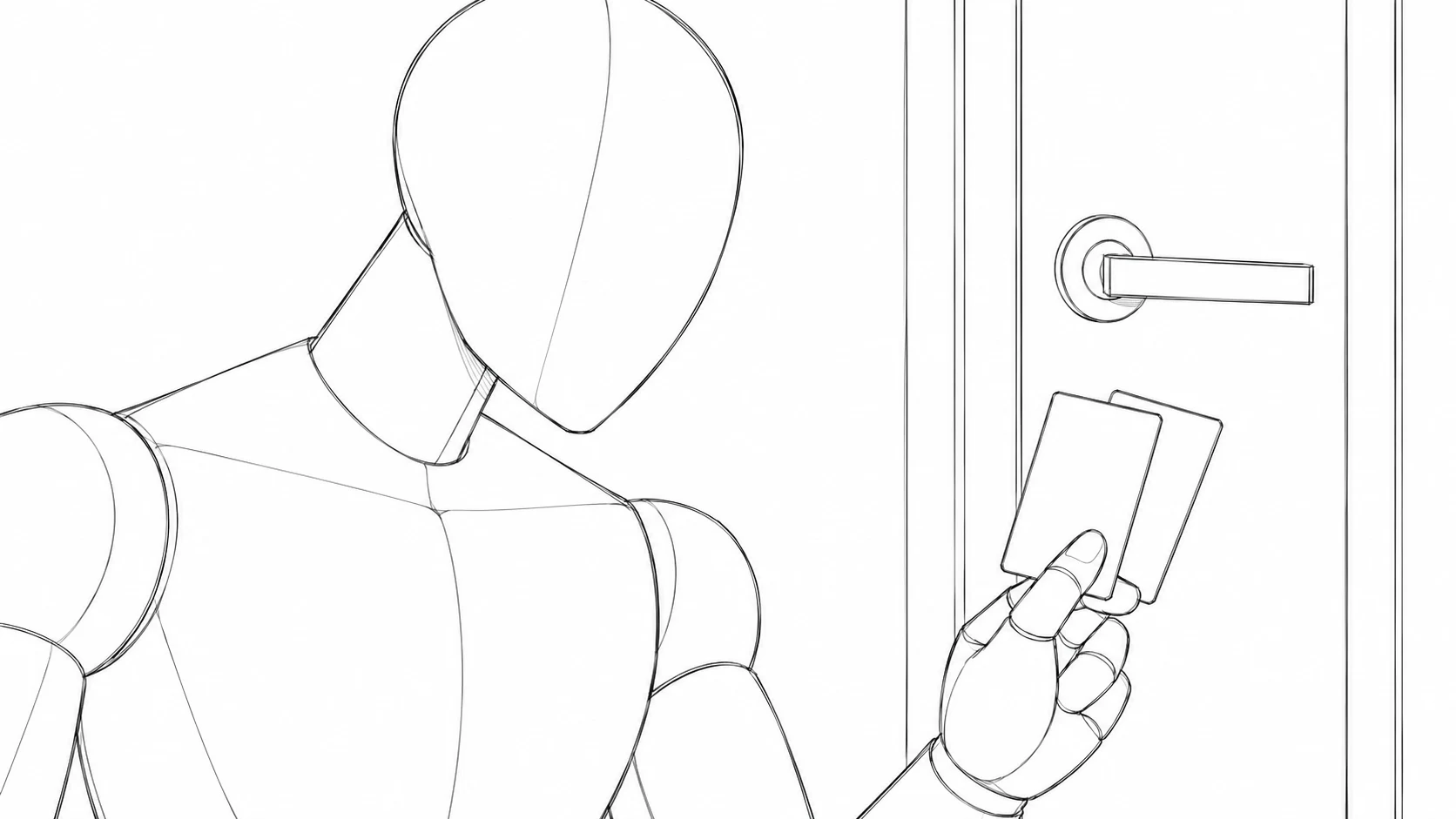
A figure looks down at two keycards in her hands, with a door behind her.
Decide how to frame the shot.
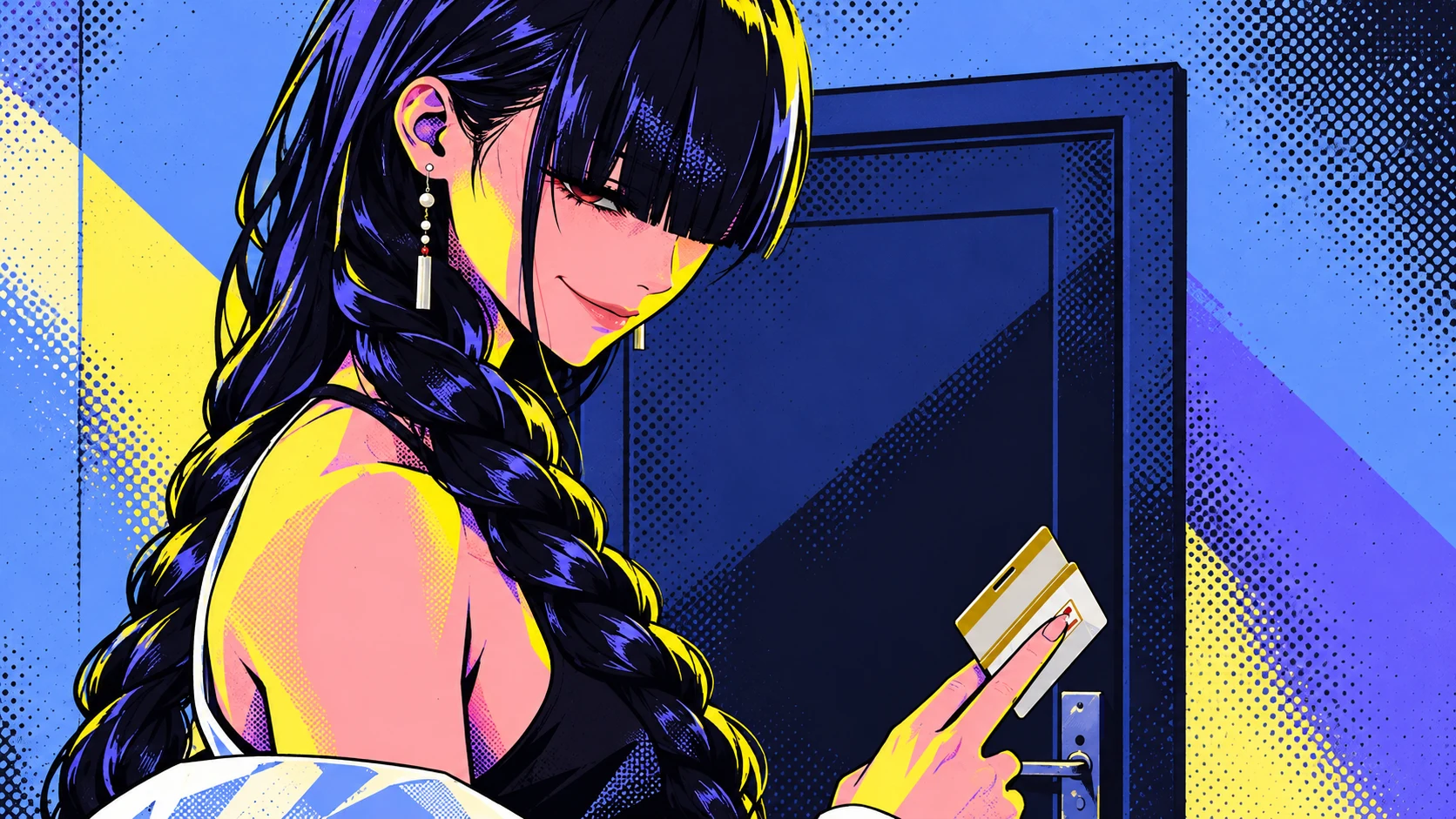
Neo illustration of the Heist scene: a dark-haired woman holds keycards in front of a door.
Compare the result. Choose your take.

From script to storyboard.
Make your idea visible.

Have a script but aren't sure how to film it? Let AI break a scene into shots in Fuse. Then use the frames to check whether viewers can follow the story.

“She takes two keycards from the guard
and heads for the next door.”

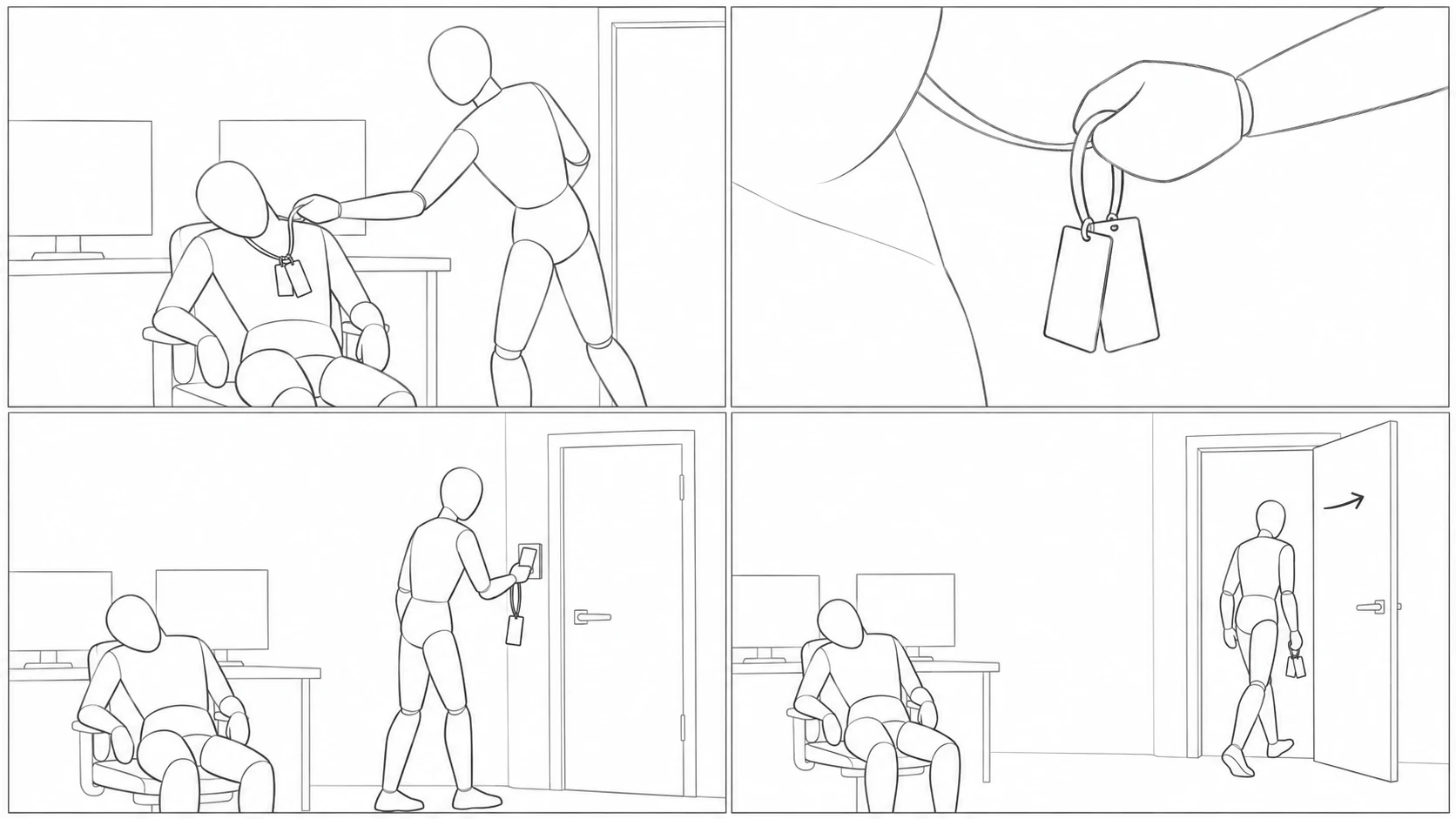
A shot breakdown of the keycard scene in Heist. Establish what she wants, show her taking it, then confirm she has it. Each shot moves the story forward.

A figure takes keycards from a seated guard. A desk and door establish the space.
01

Establish people and place

A medium shot locates the guard and keycards, so viewers know what she wants.

Close-up of a hand lifting a lanyard, with two keycards at the center of the frame.
02

Show the key action

Give the hand and cards a close-up, making the act of taking them clear.

A single rough frame: a figure looks down to check the keycards in her hands.
03

Confirm the result

A medium close-up shows her checking the cards, setting up her move toward the next door.

Not sure what to write?
Start with the shot's purpose.

Describe what the character does and what viewers need to understand. Then add your preferred camera position. You don't need to master camera terminology to explain an idea.

A storyboard only needs to communicate the shot. These rough mannequin sketches establish actions and relationships. Separate references describe character appearance and scene details.

A guard slumps in a chair, two keycards hanging from his chest. An intruder takes the cards, checks them, and heads for the next door.

First show the person and the cards, cut to a close-up of a hand lifting the lanyard, then return to a medium close-up of her checking the cards. Use rough linework so viewers understand what she took and where she is going.

Consistent AI video
starts with a storyboard.

Change the camera angle while keeping characters, places, and actions connected. In Fuse, plan the shots first, then add character and scene references to give each generation a shared basis.

Before generating, agree on the frame.
After generating,
know what to compare.

Character consistency.
A new angle.
The same person.

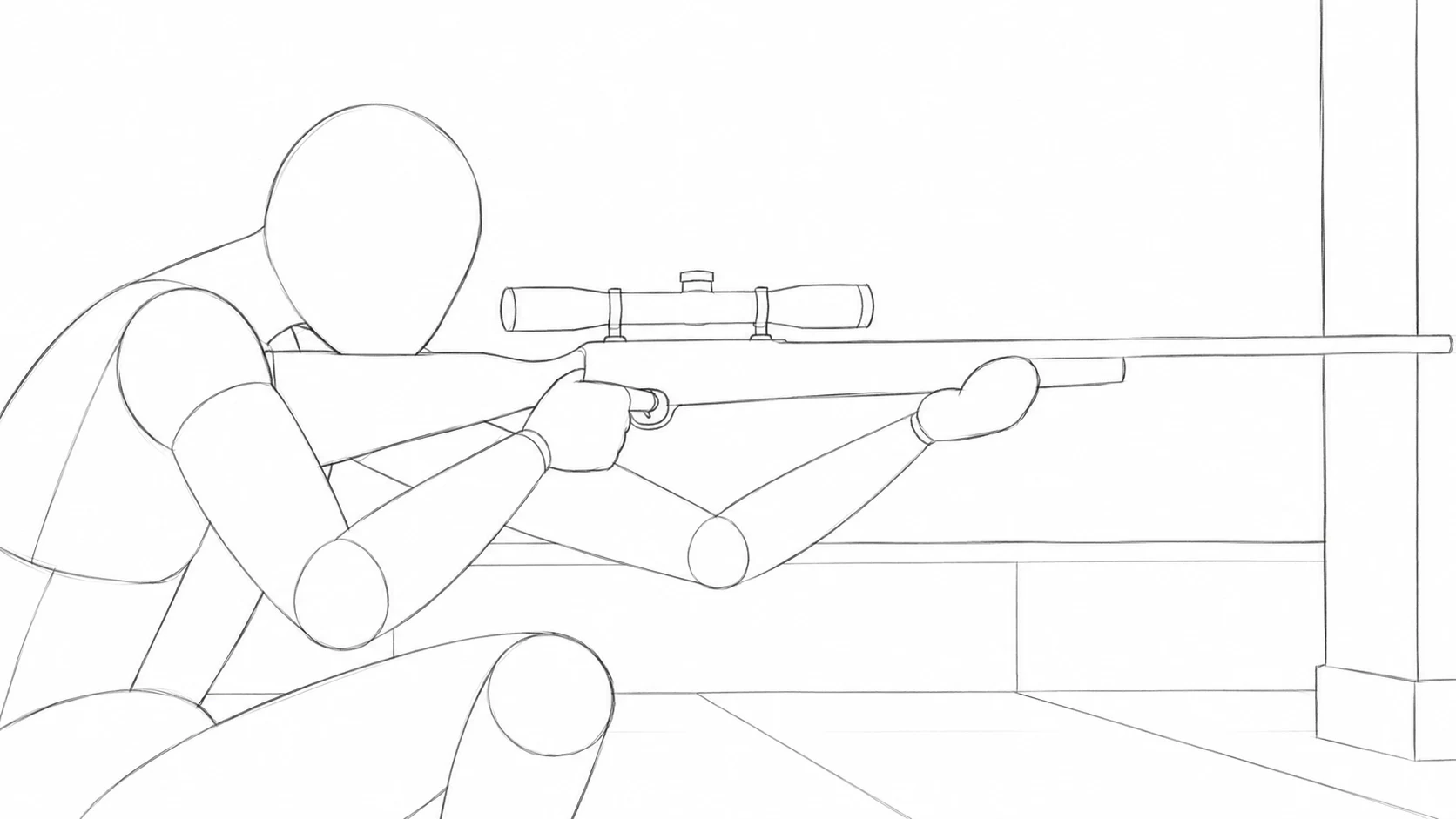
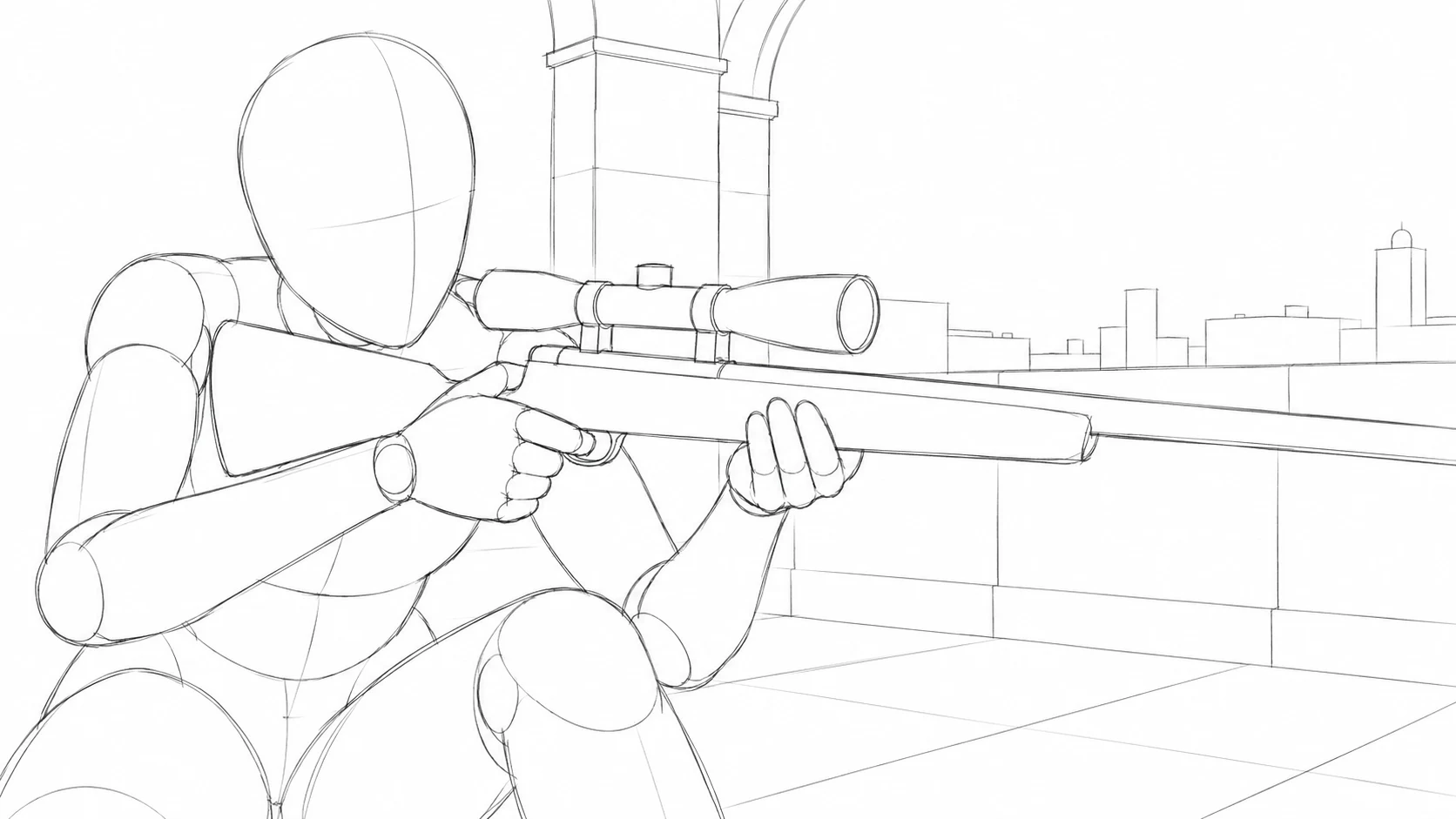
Set the camera position and pose in the storyboard, then compare them with the corresponding moment in the film. From rear to side to front, Meihua's face, long hair, floral ornaments, and pale robe should carry through.

In Fuse, the storyboard defines the shot, while shared character references describe appearance. Compare composition, pose, and identifying features after generation to find deviations.

One camera move. Three comparisons.

Sketch the shot · Check the character

Rear view

Recognize her silhouette.
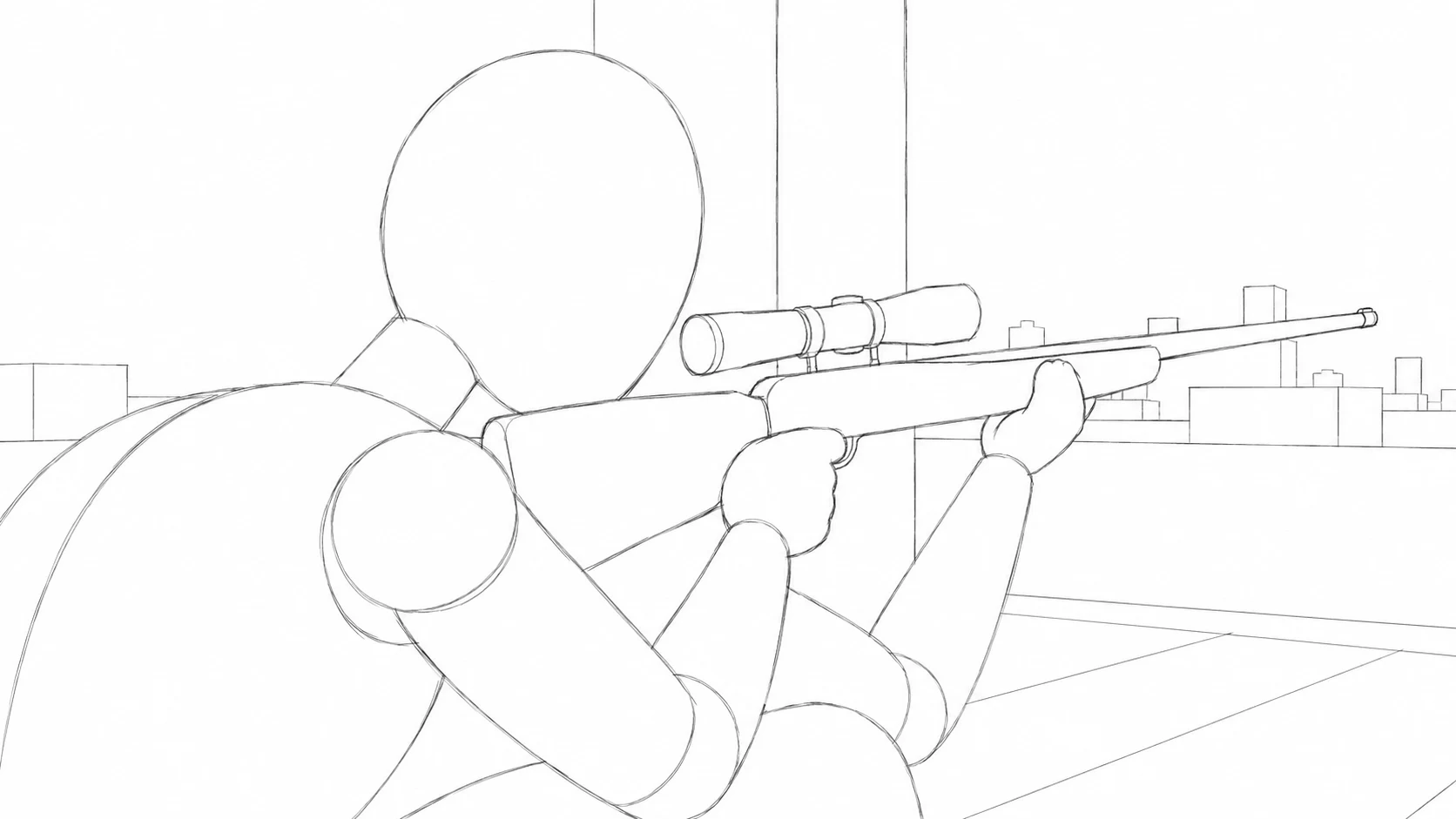
Rough rear-view storyboard: a figure faces away, leaning forward and holding a rifle toward the right.
01 Storyboard
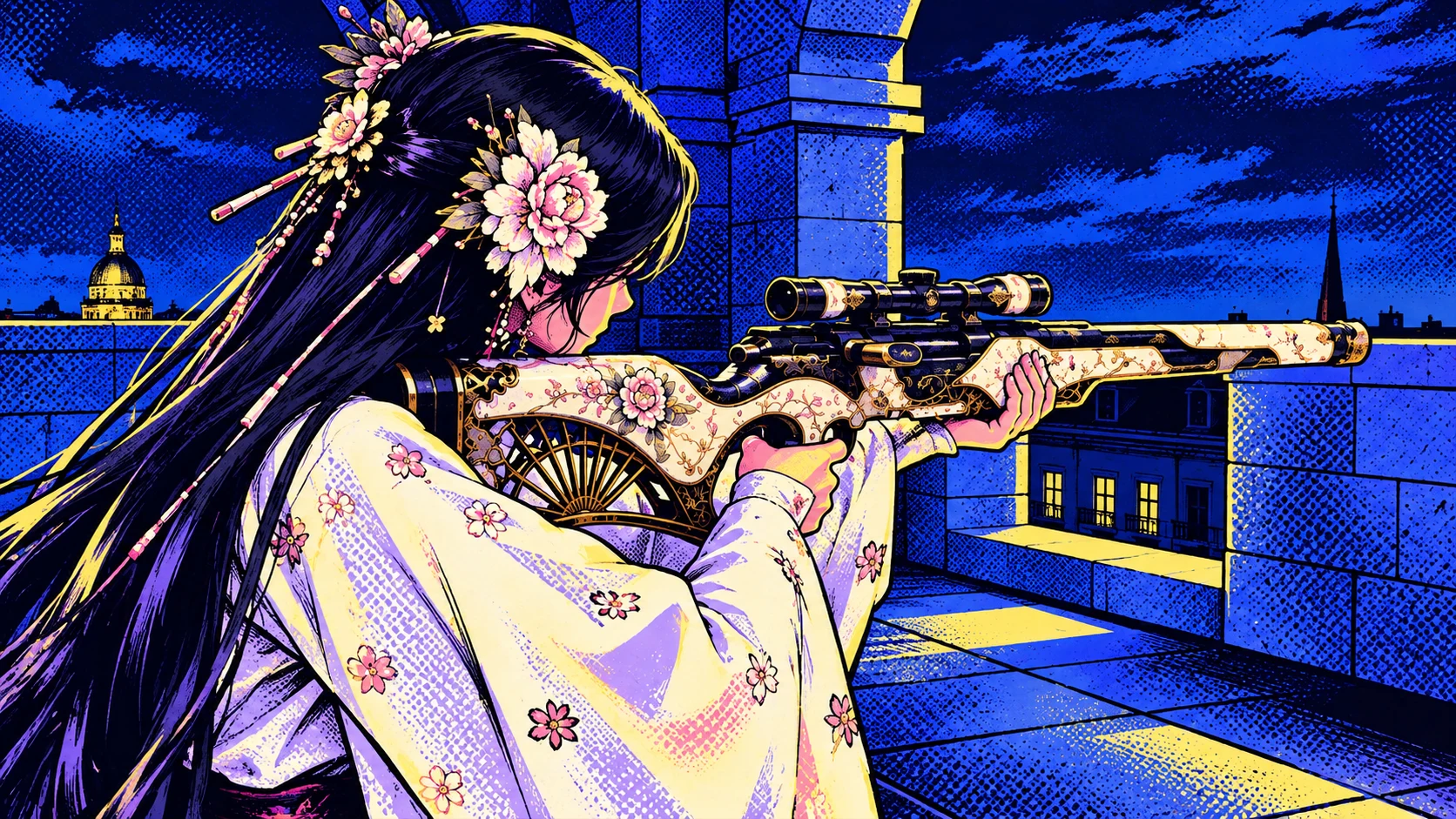
Illustrated rear-view film frame: long dark hair, floral ornaments, and a pale robe continue the rifle pose.
01 Film frame

Long hair and floral ornaments connect the silhouette.

Side view

The camera moves around.

Rough side-view storyboard: a crouched figure on the left holds a rifle across the frame, supporting it with the forward hand.
02 Storyboard
Illustrated side-view film frame: Meihua's profile, floral ornaments, and robe continue across the matching rifle composition.
02 Film frame

Profile, ornaments, and robe follow the same design.

Front view

Still the
same person.

Rough front-view storyboard: a crouched figure with her head to the left, rifle extending toward the right foreground, and knees below.
03 Storyboard
Illustrated front-view film frame: Meihua's facial features, floral ornaments, and pale robe are visible together.
03 Film frame

The angle changes. Face, hair, and clothing share the same references.

Heist sniper sequence · Rough storyboards and Neo illustrations of corresponding film frames
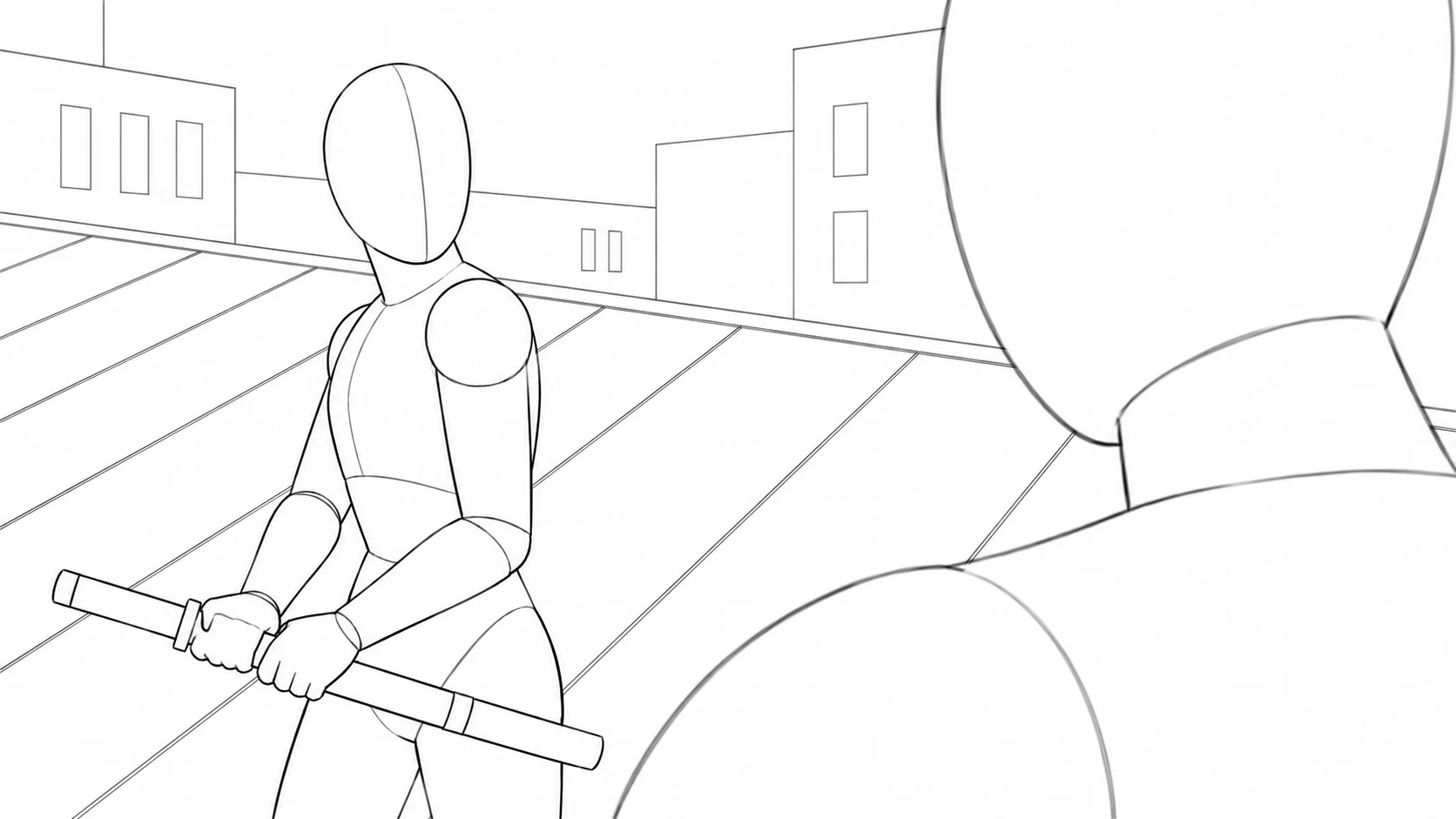
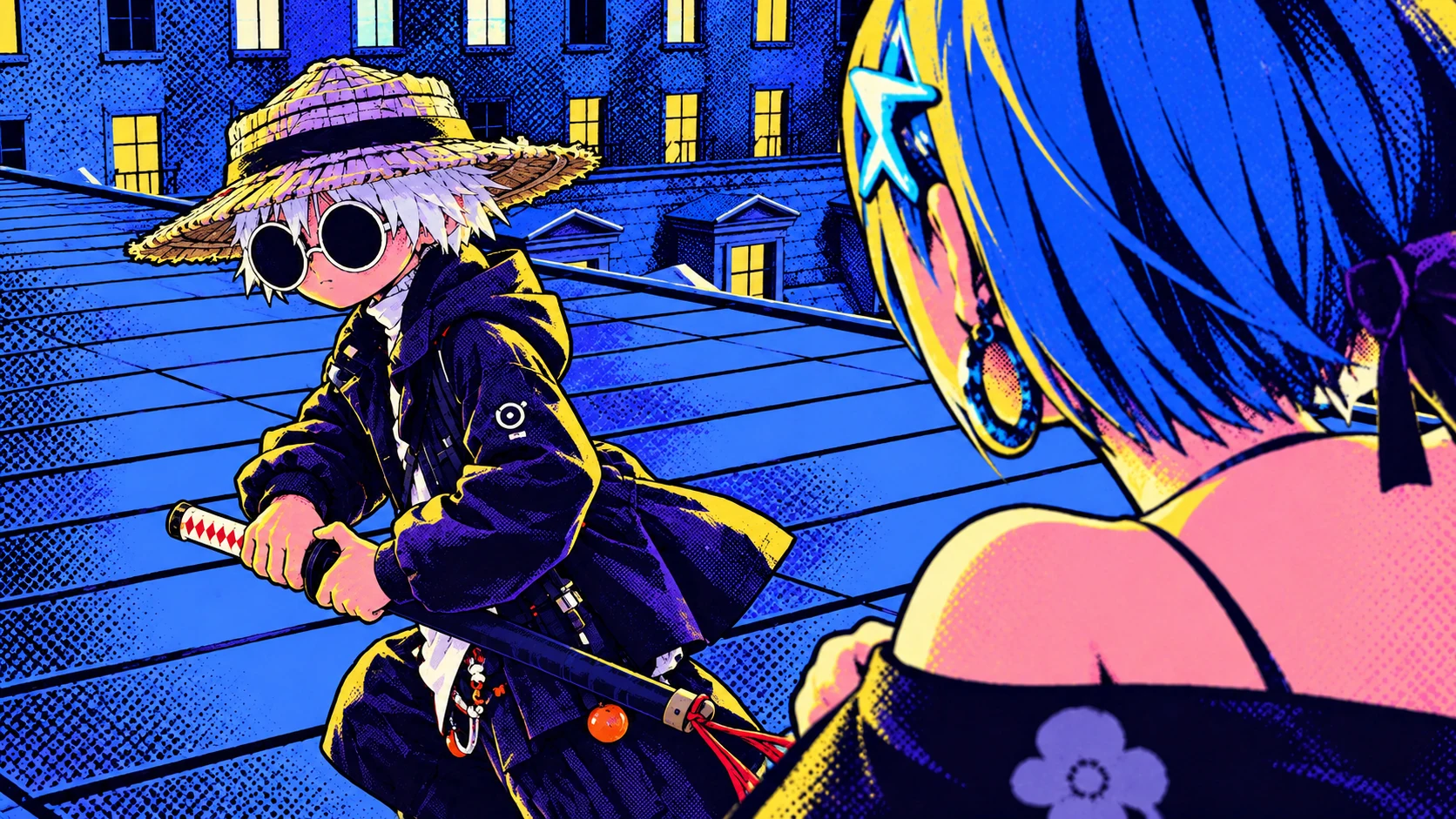
Rough rooftop storyboard: buildings, sloped roofs, and the relative positions of two characters.Film illustration with the same composition: White looks back from the left, Suseka stands in the right foreground, and buildings and roof slopes continue.

Scene consistency

The storyboard establishes rooflines, buildings, and character positions. Scene references add architecture and night lighting. Compare sketch and image side by side to spot changes in spatial relationships, then carry the same references into the next shot.

Action consistency

Planting a foot, drawing a blade, swinging it: each action has a cause and a result. Describe contact points and motion beats, then check the video for sliding feet, switched hands, or missing movements.
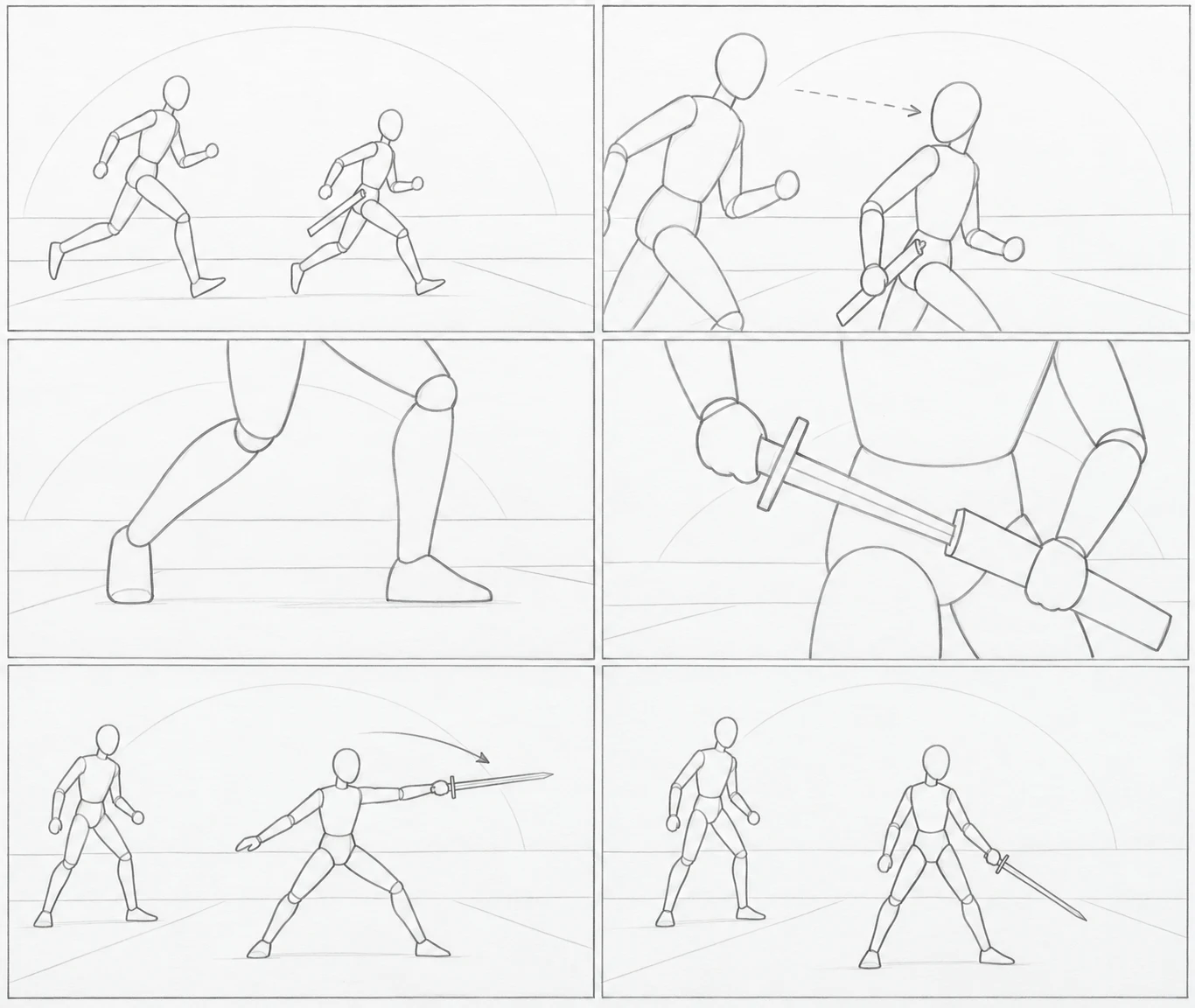
Close-up of White's front foot planted firmly, with his knee bent.
Plant the foot
Close-up of White's waist and hands: one holds the sheath while the other draws the blade.
Draw the blade
White swings after planting his feet, with Suseka behind him to the left.
Then swing

Before making video,
use storyboards to agree on the shots.

You and your collaborators may picture different images from the same script. Break it into shots in Fuse, then discuss the frames: where should viewers look, and when should you cut? Agree before moving to video.

“Who do we
look at first?”

A question you can point to in a frame.

In Heist's landing scene, a close-up makes the contact point clear, while a two-shot holds the teammate's reaction. Lay out both ideas in four frames to decide which beat to keep.

For dialogue, put the speaker and lines beside the corresponding shot, then decide when to cut to the listener's reaction.
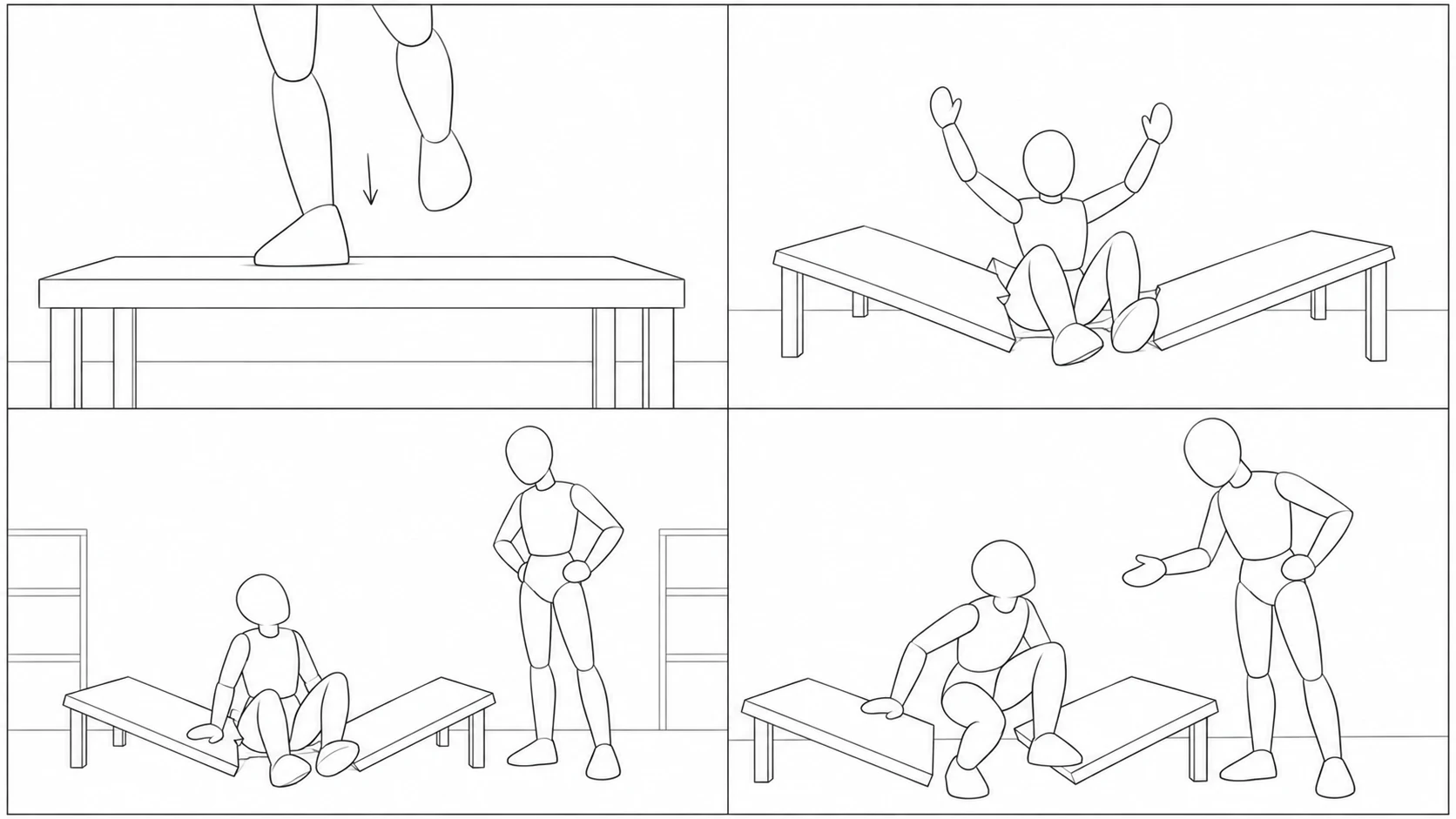
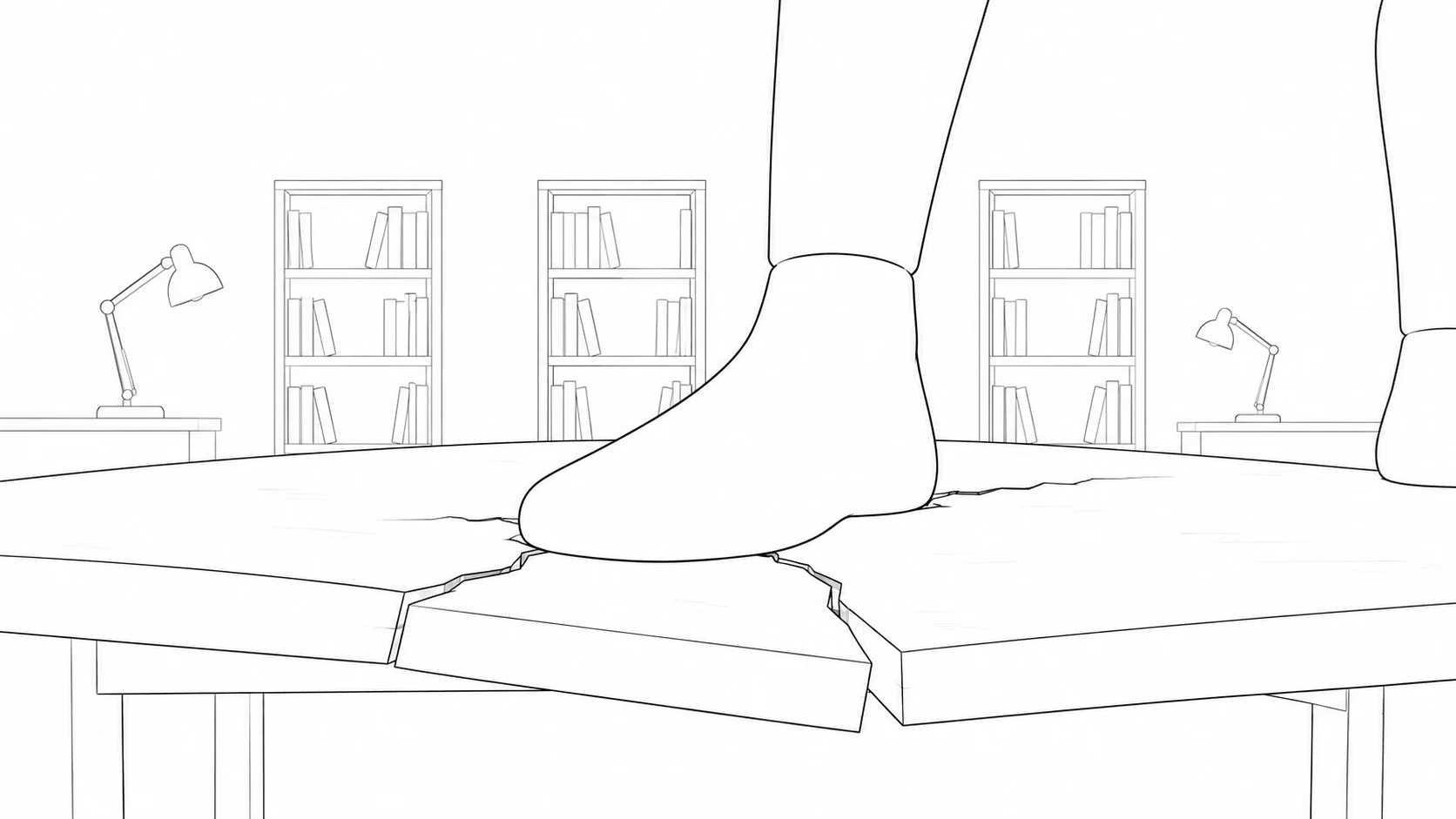
Close-up of a foot descending toward a tabletop.
01 · ContactHow close should we be?

Show the foot and tabletop clearly, giving the break that follows a cause.

A figure falls into a broken tabletop, arms raised.
02 · ResultCan viewers follow what happened?

Pull back to include both the unsupported body and the broken table.

A figure sits among broken table pieces while a teammate looks down at her.
03 · ReactionShould we hold this reaction?

Put both people in the frame and discuss whether the pause earns its place.

The fallen figure pushes herself up from the table as a teammate offers a hand.
04 · ContinuationDoes it connect to the next shot?

Use standing up and reaching out to carry their positions into the next beat.

From storyboard to video.
Generate each shot. Choose each take.

Add the chosen storyboard image as a reference for the shot, describe the action and camera movement, then generate video. Fuse keeps takes together so you can compare them with your intended shot and choose one.
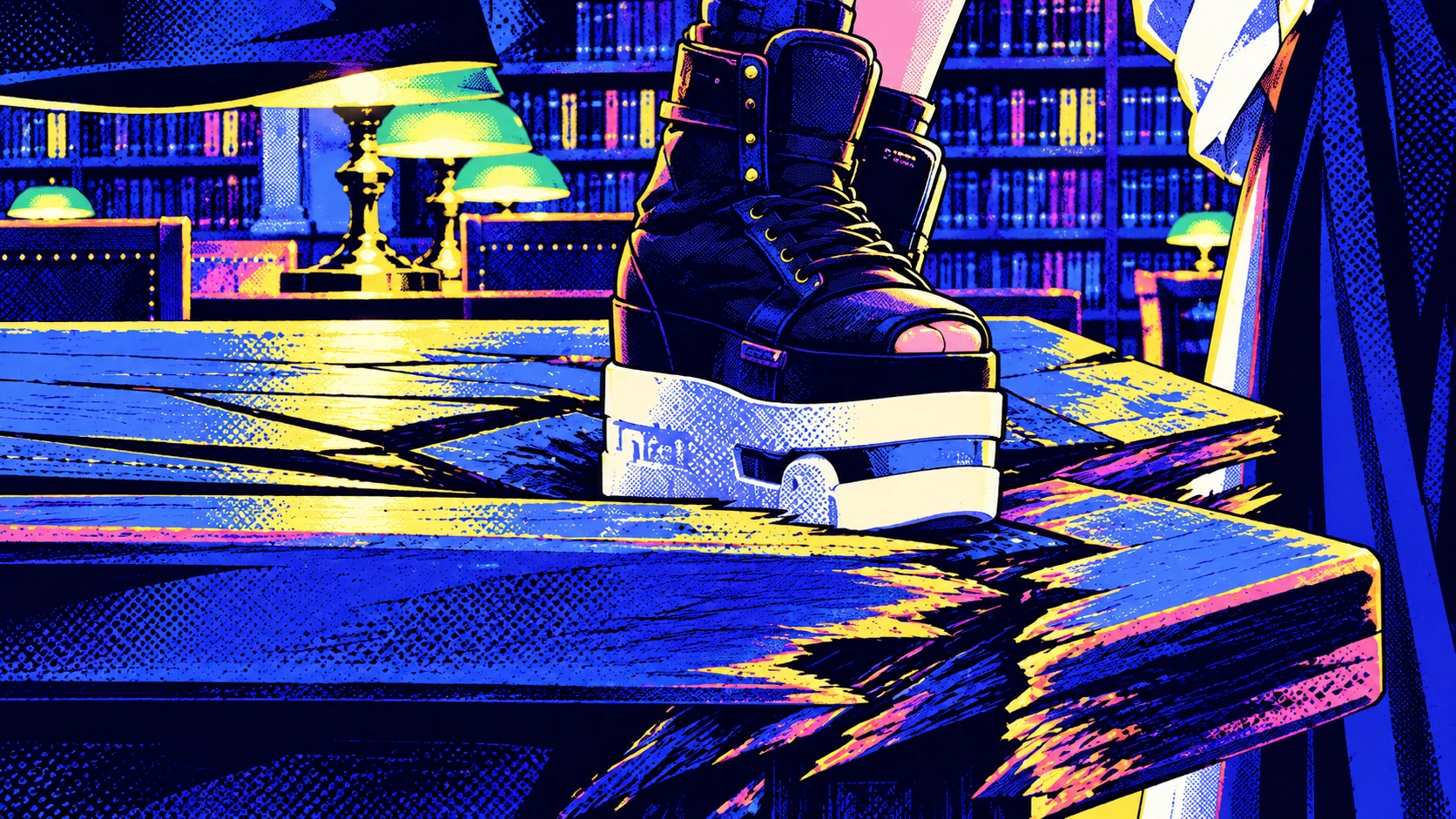
Illustrated Heist film frame: a thick-soled boot presses onto a cracked reading-room table.
Heist landing sequence · Illustrated film frame
Rough landing close-up: a foot presses onto a table, cracks spreading from the contact point.
The storyboard defines composition and contact.

The image sets the frame.
The description sets the motion.

An action description for this Heist shot:

“The foot contacts the tabletop, the knee bends under the weight, then the table cracks beneath it. Keep the camera close to the surface and hold the transition from pressure to breakage.”
  1. 1

    Use the storyboard as a reference

    Add the agreed storyboard image to the shot, giving video generation a concrete visual basis.

  2. 2

    Describe action and camera movement

    Explain who moves and how the camera follows. Add character and scene references for the details the film needs.

  3. 3

    Compare takes and choose one

    This shot needs the foot to make contact before the table breaks. Compare action order, contact, and framing before choosing a take.

Video missed the mark?
Revise the shot that needs work.

Composition or blocking is off? Adjust that shot's storyboard.
The character or scene drifts? Check that shot's references.
Action or camera movement is wrong? Revise the description and generate another take.

If the table breaks too early, spell out “foot contacts → knee presses down → tabletop breaks” and try that shot again. Keep the other chosen shots and takes. Check usage before each generation.

An existing landing storyboard image that can serve as a reference for this video shot.

Already have storyboards? Continue to video.

Upload hand-drawn frames or images from another tool as assets, add them as image references to the matching shot, and describe the motion. Keep your shot plan and continue making video.

Continue to video

These storyboard sketches were designed after the Heist scenes. The color images are illustrations of film frames for comparing shot choices; these were not the original storyboards used to generate the film.

From frames to film.
A few more answers.

What is an AI storyboard generator? Do I need to draw?
An AI storyboard generator turns a story, script, or text prompt into frames for planning camera positions, actions, and shot sequences. You don't need drawing skills. Describe a specific shot, or ask AI for a first version to revise.
How many shots should a scene have?
There is no fixed number. Start with what viewers need to know: where people are, how the key action happens, and whose reaction changes the story. Consider a cut when the information or focus changes; don't add shots just to fill a grid.
Can I study a single shot or paste prompts written with ChatGPT?
You can paste a prepared story, script, or storyboard prompt, or describe a short sequence to explore. If you're comparing camera positions or moments in one action, explain how the frames relate to each other.
How do I keep AI characters, scenes, and actions consistent?
Establish people, space, and actions in the storyboard. Reuse character and scene references, and describe motion beats and contact points. After generating, check faces, clothing, scenery, lighting, and movement. Revise the affected shot's storyboard, references, or description when something drifts. Storyboards provide a common basis; they cannot guarantee error-free AI output.
If a video doesn't match the storyboard, must I redo everything?
Identify the problem first. Adjust the storyboard for composition or blocking; revise the description and generate another take for action or camera movement. Keep different takes for one shot and choose which to use. Editing the script does not automatically update the whole storyboard.
How do storyboards, shot lists, and animatics differ?
Storyboards show composition and relationships between frames. Shot lists describe framing, action, and camera movement in text. Animatics arrange still frames in time, often with sound. In Fuse, plan with storyboards and then generate video shot by shot; a still storyboard has no timing or sound of its own.
Can I import PDF or FDX files, or export PDF or PowerPoint?
This entry accepts pasted text. Convert a PDF or FDX script to text before pasting it. Direct imports of these formats and PDF or PowerPoint storyboard layouts are not available here. You can add existing images as references later in the creative workspace.
Do I need to sign in? How are storyboards and video charged?
Sign in to start generating. Storyboard images and videos are separate outputs. Entitlements, models, and the current content affect usage. Check usage before generating; a plan does not mean unlimited video or retries. See plans and pricing.